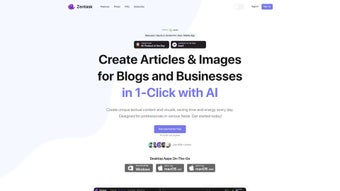

Download Zentask – AI Writing Assistant for Fast, Secure Content Creation
Overview
Zentask is a cutting‑edge AI‑powered writing assistant built specifically for bloggers, marketers, and businesses that need fresh, engaging content on a regular basis. By leveraging advanced natural‑language generation models, Zentask can craft full‑length articles, generate eye‑catching images, and even suggest SEO‑friendly titles with a single click. The platform is designed to be intuitive: a clean, user‑friendly interface lets both novices and seasoned content creators focus on strategy rather than the mechanics of writing.
What sets Zentask apart is its extensive prompt library, which provides ready‑made templates for a wide range of niches— from tech reviews to lifestyle guides— allowing users to start producing high‑quality drafts instantly. Moreover, Zentask encourages community participation by letting users create and monetize their own templates, turning the tool into a mini‑marketplace for content ideas. While the AI handles the heavy lifting, Zentask still recommends a final human edit to ensure brand voice consistency and factual accuracy.
Overall, Zentask is positioned as a reliable, secure, and continuously updated solution for anyone looking to boost their digital presence without compromising on quality.
Key Features
- One‑Click Article Generation – Produce a 500‑word blog post in seconds by selecting a prompt and letting the AI write the draft.
- AI‑Generated Image Support – Generate royalty‑free images that match the article’s tone and style, all within the same workflow.
- Extensive Prompt Collections – Access hundreds of pre‑built prompts organized by industry, length, and content type.
- Template Marketplace – Create, sell, or purchase custom templates, turning your expertise into a revenue stream.
- SEO Optimization Helper – Built‑in suggestions for keywords, meta descriptions, and headings to improve search rankings.
- Real‑Time Collaboration – Invite team members to edit drafts simultaneously, with version history and comment threads.
- Multi‑Language Support – Write in English, Spanish, French, German, and more, with accurate translation and localization.
- Secure Cloud Storage – All drafts are saved encrypted on Zentask’s servers, ensuring data privacy and compliance.
- Regular Updates & Improvements – The AI model is continuously refined, delivering better relevance and reduced repetition over time.
- Cross‑Platform Accessibility – Use Zentask on Windows, macOS, Android, and iOS through a responsive web app.
Each feature has been engineered with productivity in mind. For example, the one‑click article generator not only writes the body copy but also proposes a headline, sub‑headings, and a short summary, giving you a ready‑to‑publish piece after a quick review. The AI‑generated image tool pulls from a vast library of styles— from minimalist icons to vibrant photography— and automatically optimizes file size for fast loading.
The prompt collections are continuously expanded by both Zentask’s internal team and community contributors, ensuring you always have fresh ideas at your fingertips. Meanwhile, the template marketplace turns your specialized knowledge into a passive income source: design a high‑performing template, set a price, and let other users purchase it directly through the platform. All of these capabilities are wrapped in a secure environment that complies with GDPR and other data‑protection standards, making Zentask a trustworthy partner for enterprises of any size.
Installation & Usage Guide
Getting started with Zentask is straightforward and requires no complex software installation. Because Zentask runs as a cloud‑based web application, you simply need a modern browser with JavaScript enabled. Follow these steps to begin:
- Create an Account – Visit zentask.com and sign up using your email or a single‑sign‑on option such as Google or Microsoft. A verification email will confirm your identity.
- Choose a Subscription Plan – Zentask offers a free tier that includes 5 article generations per month, as well as premium plans starting at $19/month for unlimited access, higher‑resolution images, and priority support.
- Enable JavaScript – Ensure your browser’s JavaScript setting is turned on; the platform will not function correctly without it. Most browsers have this enabled by default.
- Explore the Dashboard – After logging in, you’ll land on a clean dashboard where you can start a new project, browse prompts, or view saved drafts.
- Select a Prompt or Template – Click “Create New,” then pick a prompt from the library or import a template you’ve purchased from the marketplace.
- Generate Content – Fill in any required fields (topic, tone, target audience) and hit “Generate.” Within seconds, the AI will produce a draft, complete with headings, suggested images, and SEO recommendations.
- Review & Edit – Use the built‑in editor to fine‑tune the copy, adjust images, or add personal anecdotes. The editor supports markdown, rich text, and collaborative comments.
- Export or Publish – Once satisfied, you can export the article as a Word document, PDF, or directly publish to popular CMS platforms like WordPress via an integration plugin.
For mobile users, Zentask’s responsive design ensures the same workflow on Android or iOS devices, allowing you to generate and edit content on the go. The platform also offers keyboard shortcuts for power users (e.g., Ctrl + Enter to generate, Ctrl + S to save) and a “History” tab that tracks all versions of a document for easy rollback. If you encounter any issues, the help center provides step‑by‑step tutorials and a live chat window staffed by knowledgeable support agents. By following this simple setup, you’ll be able to produce high‑quality content quickly, freeing up valuable time for strategy, promotion, and audience engagement.
Compatibility, Pros & Cons
Zentask is a web‑based solution, which means it works seamlessly across all major operating systems. Whether you run Windows 10/11, macOS Monterey or later, Linux distributions, or mobile platforms such as Android 9+ and iOS 13+, you can access the full feature set through Chrome, Firefox, Edge, or Safari. Because the application is cloud‑hosted, there’s no need for local installations, and updates are applied automatically without user intervention.
Pros
- Fast, one‑click article and image generation saves hours of manual writing.
- Extensive prompt library and marketplace enable niche‑specific content creation.
- Secure cloud storage with encryption meets enterprise data‑privacy requirements.
- Cross‑platform access eliminates compatibility concerns.
- Built‑in SEO suggestions improve search visibility without extra tools.
- Collaborative editing and version history boost team productivity.
- Free tier allows small teams to test the platform before committing.
Cons
- Reliance on internet connectivity; offline usage is not supported.
- AI‑generated content may require careful editing to match brand voice.
- Premium plans can be pricey for freelancers on a tight budget.
- Advanced image generation may produce generic visuals that need customization.
- Learning curve for new users unfamiliar with AI‑prompt concepts.
Zentask delivers a powerful blend of AI writing and image creation that dramatically speeds up content workflows. Its prompt library and template marketplace make it a versatile tool for agencies and solo creators alike. While the free tier offers a solid introduction, the real value shines in the premium plans, which unlock unlimited generations and higher‑resolution assets. Users should still apply a human editorial layer to ensure consistency, but overall, Zentask is a smart investment for anyone serious about scaling their digital presence.
FAQ & Conclusion
Is Zentapp free to use?
Zentask offers a free tier that includes up to five article generations and limited image creation each month. For unlimited access and advanced features, you can upgrade to a paid plan starting at $19 per month.
Can I use Zentask on mobile devices?
Yes. Zentask’s responsive web app works on Android and iOS browsers, allowing you to generate and edit content from smartphones or tablets without losing functionality.
How does Zentask ensure my data is secure?
All drafts and user data are stored with end‑to‑end encryption on secure servers that comply with GDPR, CCPA, and ISO 27001 standards. Access is protected by two‑factor authentication for premium accounts.
Can I customize the AI’s writing style?
Absolutely. Each prompt includes settings for tone (e.g., formal, conversational, technical) and audience level. You can also save custom prompt configurations for future use.
Do I need to install any software to use Zentask?
No installation is required. Zentask runs entirely in the browser, so you only need a stable internet connection and JavaScript enabled.
In summary, Zentask is a robust AI writing assistant that bridges the gap between speed and quality. Its one‑click generation, extensive prompt library, and secure cloud environment make it an excellent choice for anyone looking to boost their content output without sacrificing brand integrity. While human oversight remains essential for final polishing, Zentask handles the heavy lifting, freeing you to focus on strategy, promotion, and audience engagement. Ready to transform your content workflow? Download Zentask today and experience the future of AI‑driven writing.



.png)



